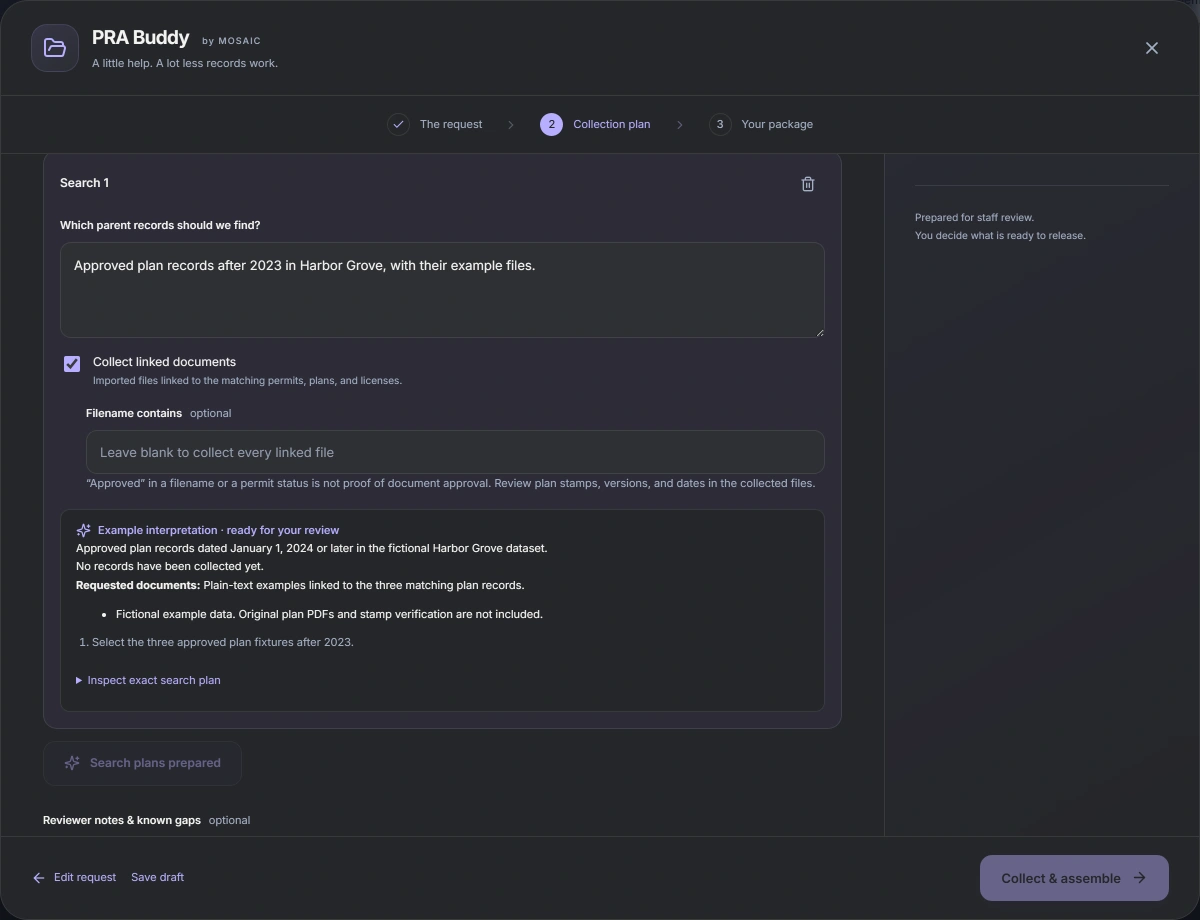
Start with the request. Agree on the search.
Paste the original request into PRA Buddy. Review the proposed searches, layers and scope before collection begins. The original wording stays with the package so a reviewer can trace the work back to the request.
This helps staff separate the work of locating responsive material from the work of evaluating it. A request for plan files at an address can involve parcel identification, case records and attachments; the collection plan makes those steps visible before they run.
Gather the files and keep track of the gaps.
Once the scope is approved, PRA Buddy gathers records and files from the connected sources. The downloadable ZIP includes a readable starting index, the original request, a manifest and the collected material. Search plans and execution details document what was attempted.
The attachment index distinguishes retrieved, excluded, duplicate and failed files. Coverage information and missing-file reports show where staff need to follow up. A package that explains its gaps is easier to review than an unexplained folder of downloads.
Give reviewers an organized starting point.
GIS exports, source information and original file bytes are kept in a structured package. File checksums support integrity checks, while the saved search and execution records help another person understand the collection method.
Staff still review the files, follow up on missing material and decide what can be released. PRA Buddy supports collection and preparation; the agency’s review and release process remains essential. Sources that are not connected still need to be addressed through that process.